Deleting Contacts
Deleting Contacts -> updating to Deleted status.
In CXD database contacts cannot be directly deleted by users. They can though
be set to unmarketable state. One of the attributes to achieve that is setting
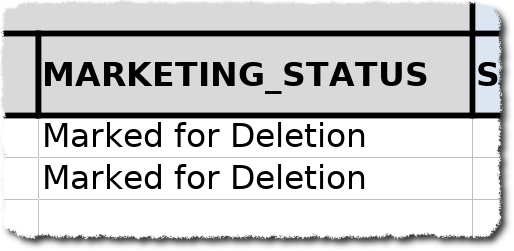
marketing_status to Marked for Deletion
The usual CXD Template shall be used for this purpose. CXD_Template
For unique identification you need to provide either email_id or
CXD_Contact_ID. Additionally you need to insert new status. In this case it
should be Marked for Deletion

With the filled out template we can proceed in GMSS services portal:
After clicking on Create Request on the main page, we navigate to: Manage Responses & Contacts -> Ask
for Contact Update - Fields & Preferences (as in the below screenshot)

In the request form the important part (after filling out all other mandatory
fields) is the section As for Contact Update - Fields & Preferences make
sure the option Preference Update is selected.
In the section below Contact Preference Details click in the field next to
Is this request for and select Contact Status Update.


Finally attach the file with the CXD_Contact_IDs or Email_IDs and submit
your request.
More details on Updating Contacts or general about Contact Management can be found on the confluence page from Data Management Team